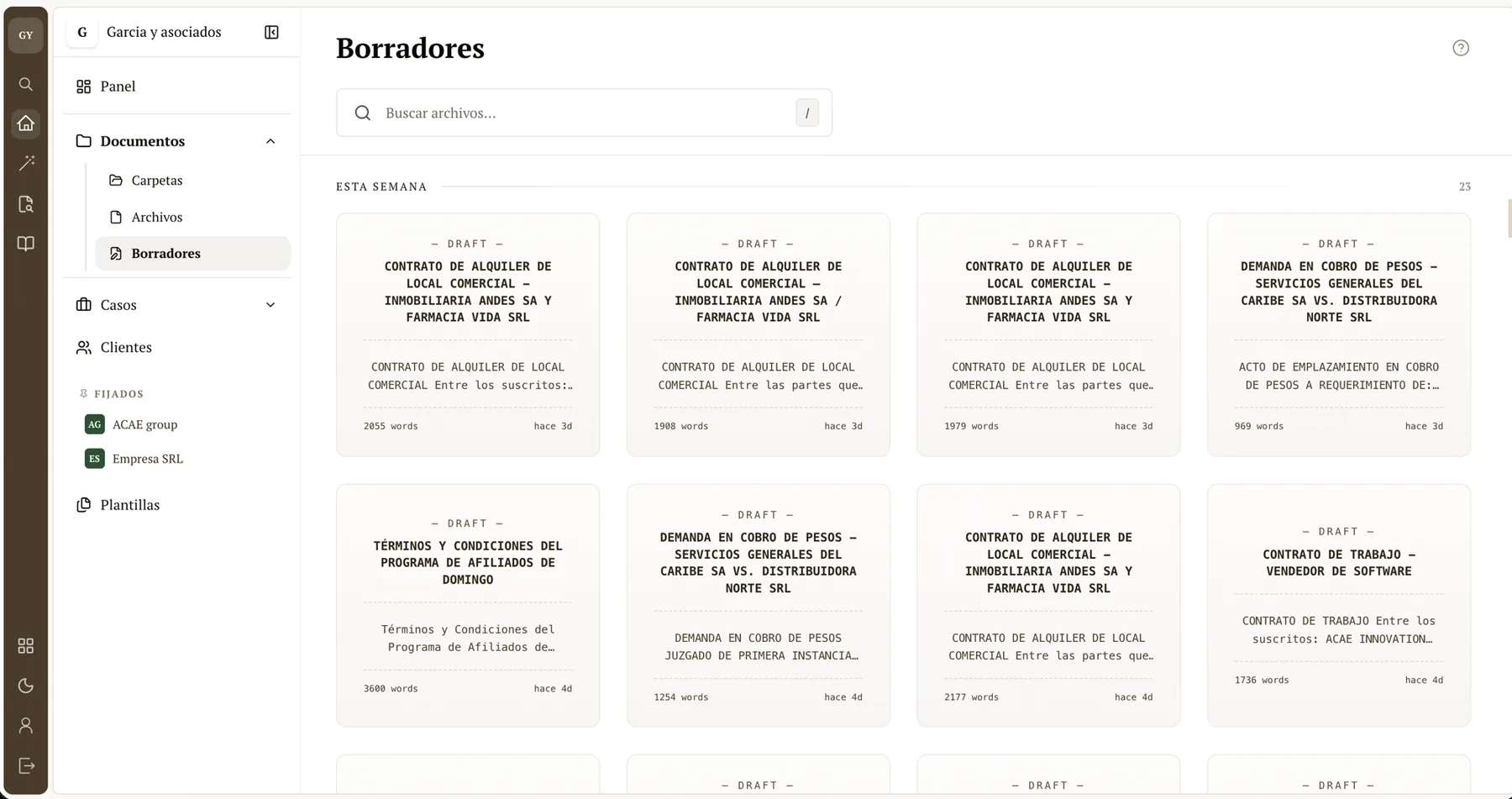
Document Editor
Draft with AI, autosave, and version history
A rich-text editor with AI, autosave, and version history. Write, rewrite, and save the final document linked to the right case.
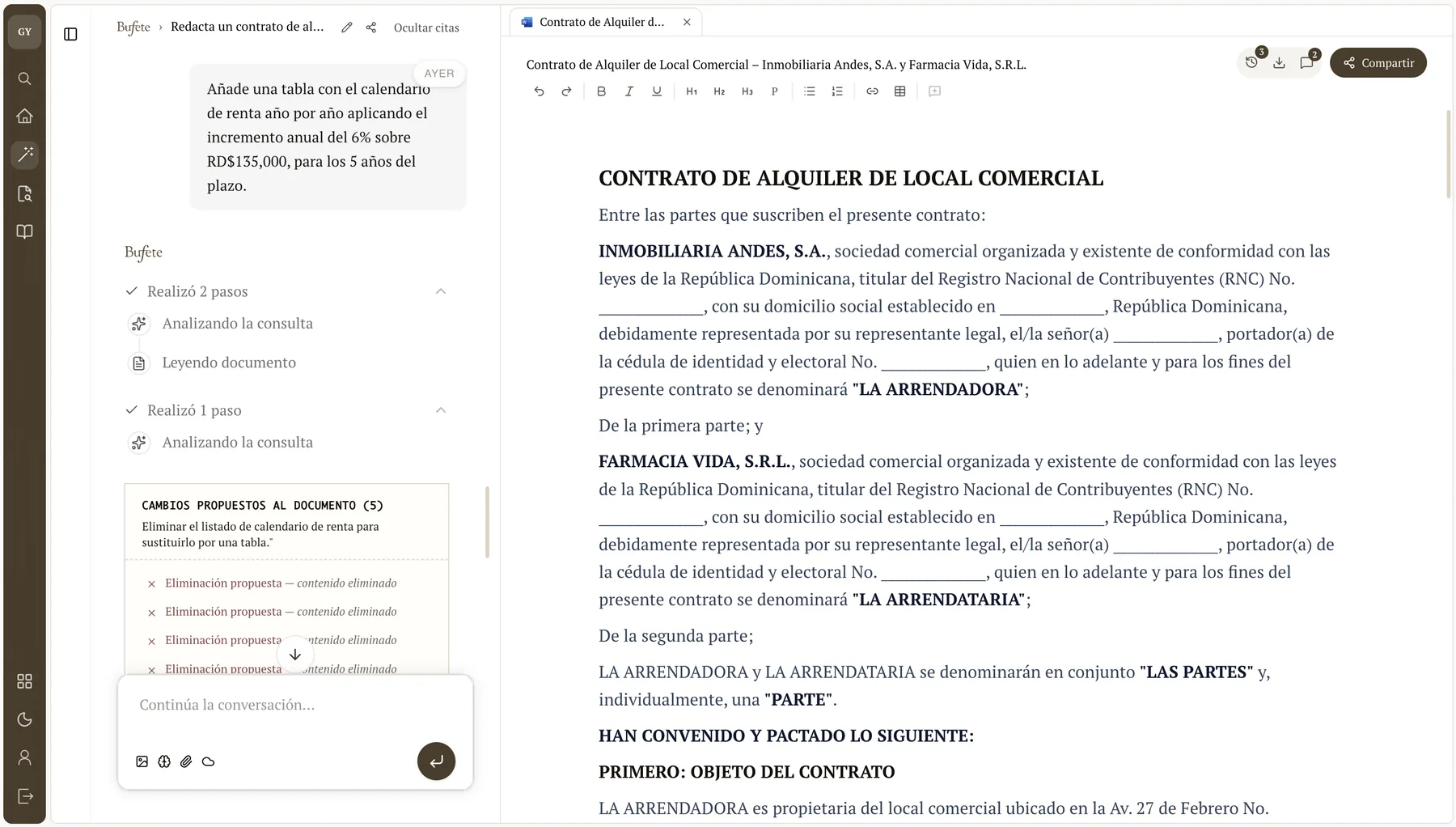
An editor that saves every change with context
Lost versions, copies in email, no context. The Bufete editor saves every change, starts from your templates, and lets AI help you draft.
Editing
Rich-text editing with AI
Rich text that starts from your firm’s approved templates and proposes wording with AI while you decide what to accept.
- Rich text, fast and distraction-free
- Autosave: you never lose a line
- Starts from your firm’s approved templates
- AI proposes wording and you decide what to accept
Versions
Go back to any earlier version
It saves every change and keeps a full history. Label a version “before the AI rewrite” and restore it with one click.
- Full version history for every document
- Label snapshots (“before the AI rewrite”)
- Restore any version with one click
- Compare how the text changed over time
Connection
From draft to case file
Turn the draft into the case’s final document, linked to the right client and case, or save it as a template to reuse.
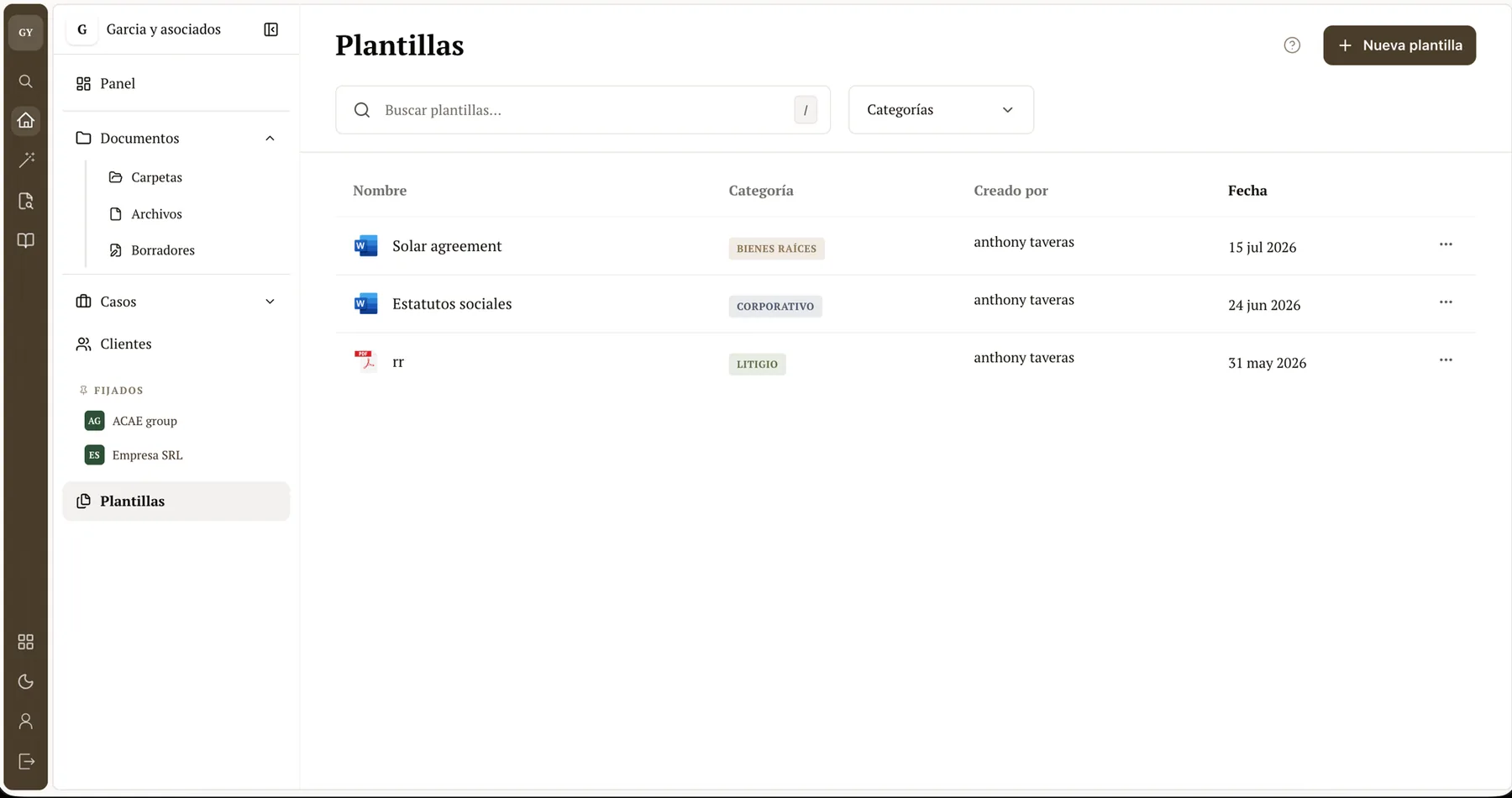
- Save the draft as the case’s final document
- Link it to the right client and case
- Turn it into a template to reuse
- Send it to the assistant to summarize or rewrite
What it does
No losses
Autosave and history keep every version recoverable.
With context
The document lives next to the case and client.
With AI
Rewrite, summarize, and draft with an assistant that knows your practice area.
Who it’s for
- Anyone drafting filings, contracts, and opinions daily
- Firms that reuse approved documents
- Teams that need an audit trail of every change
See the editor on a real document?
Book a demo and we’ll show you the editor with a real document.